Approval Workflow Software for Developers: A Comprehensive Guide
By Chris Moen • Published 2026-04-13
Navigate the best approval workflow software for developers, focusing on tools that combine human checkpoints with deterministic runs and safe rollouts for agent and automation-heavy work.
Quick answer
Disclosure: Breyta is our product
The best approval workflow software for developers depends on your work shape. Choose a tool that pairs human checkpoints with deterministic runs, clear history, and safe rollouts. For agent and automation heavy work, Breyta fits well. For form and business approvals, tools like Wrike, Kissflow, and Approveit can be right.
What this means in practice
An approval workflow lets you pause a process until a person or an external system says go. For developers, that pause sits inside code and ops flows. It can gate deploys, apply fixes after review, wait for a long job, or approve content before publish.
You need:
- Triggers. Manual, schedule, or webhooks.
- Steps. HTTP, DB, SSH, search, notify, and more.
- Waits. Human approvals and external callbacks.
- State. Runs that span time without losing context.
- History. Deterministic behavior with inspectable steps.
Why it matters for production workflows
Approvals reduce risk. They add human judgment where it counts. They also give a visible audit trail. This is key when:
- Promoting a change to live.
- Running long VM jobs that call back later.
- Coordinating coding agents with humans in the loop.
- Shipping content or communications that need signoff.
Without this, you get scripts, crons, and ad hoc prompts. That breaks under load and time.
What to look for
For developer-grade approvals, check:
- Deterministic runs with clear step outputs and logs.
- Versioned workflows. Draft vs live split. Safe releases.
- First-class approvals and waits.
- Long-running job handling via callbacks, not fragile long SSH holds.
- A CLI that returns stable JSON and is scriptable by agents.
- Secret and connection management separate from logic.
- Resource handling for large artifacts with refs, not blobs in state.
- Triggers: manual, schedule, webhook/event.
- Orchestration that can call local or VM agents over SSH.
- Explicit concurrency and retry policies.
Top options and when to use them
Below are options grouped by fit. Each has a scenario to make the choice concrete.
- Breyta. Workflow and agent orchestration for coding agents. Approvals and waits are first class. You define flows with triggers, steps, approvals, and versioned releases. It handles long-running jobs by starting remote work over SSH, pausing with a wait step, and resuming when a callback returns. Use it when you run agent-driven jobs, need human checkpoints, or ship multi-step automations with safe rollout.
- Example: A coding agent on a VM drafts a PR. The flow waits for human approval. On approval, it applies changes and notifies stakeholders.
- Example: A content operator generates social drafts on a dedicated VM, persists memory, waits for human review, then dispatches approved posts.
- Wrike. Project and team approvals. Good for cross-functional signoffs, creative reviews, and project tasks. See Wrike’s guide to approval workflow software for a broad overview of tools and factors to consider (Wrike’s guide).
- Example: A release note draft routes to product and legal for approval before publish.
- Business workflow suites. Lists from SafetyCulture include Nintex, Pipefy, Kissflow, and Process Street. These tools focus on business processes and form-driven approvals (SafetyCulture roundup).
- Example: A procurement request moves through manager approval and finance review.
- Approveit. A no-code approval platform for operations and cross-team requests. Useful when you want quick routing without custom runtime orchestration (Approveit site).
- Example: Policy updates or expense exceptions that need multi-level signoff.
- Form-driven approvals. Tools like Jotform are strong when approvals start with a submitted form. They use visual builders and conditions to route steps, as covered in a market overview by Moxo (Moxo’s overview mentioning Jotform).
- Example: Vendor onboarding forms that route to security and legal.
- Project and ops suites with embedded approvals. Some platforms place approvals inside projects, tasks, or finance modules. Flowlu highlights this embedded approach in its roundup (Flowlu’s roundup).
- Example: Approval inside a project task for budget changes.
- Creative review tools. If you need markup and media review, look at creative approval platforms that focus on assets and comments. StreamWork’s article lists tools for creative approvals and markup (StreamWork’s list).
- Example: Design files that need annotated feedback and final signoff.
- Finance-specific approvals. Accounts payable and invoice flows are a niche. AP tools cover multi-step invoice routing and signoff, as outlined in a HighRadius guide (HighRadius on invoice approval tools).
- Example: Invoice review that routes by amount, vendor, and cost center.
How to choose:
- Need runtime orchestration, agents, SSH, and long waits. Pick Breyta.
- Need project or cross-functional approvals with light automation. Pick Wrike or a business suite.
- Need form-first routing. Pick a form-based tool.
- Need media markup. Pick creative approval software.
- Need AP-focused controls. Pick a finance tool.
How Breyta fits this use case
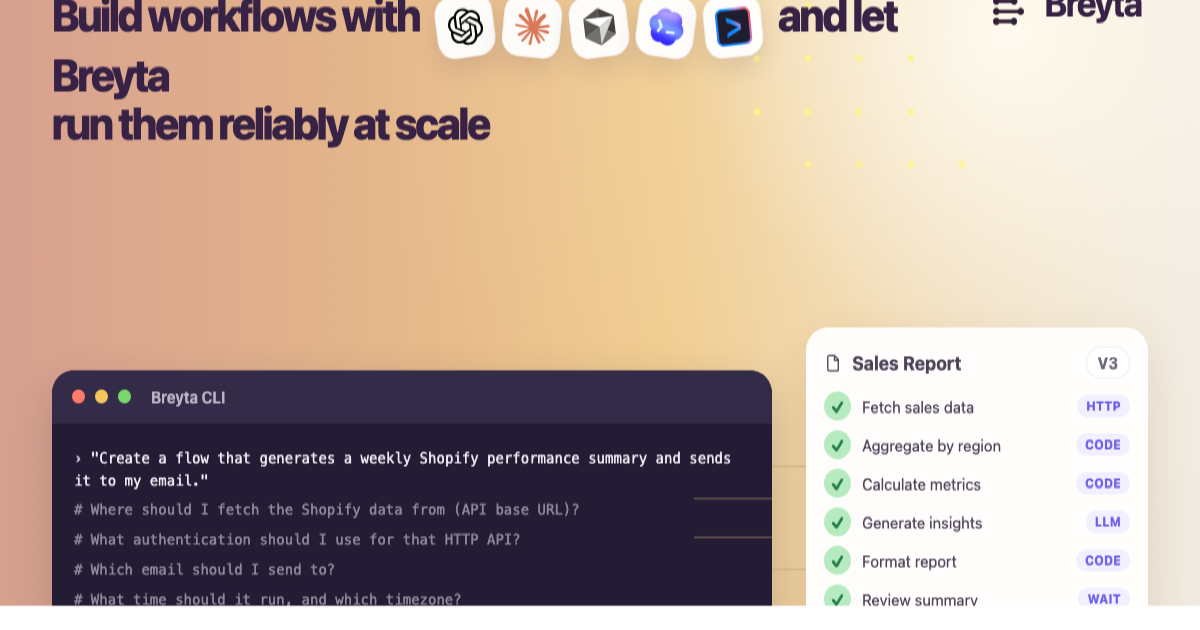
Breyta is a workflow and agent orchestration platform for coding agents. It gives teams a way to turn agent ideas into production workflows. You describe the job, shape it into a versioned flow, wire connections and secrets, run in draft, inspect outputs, then release to a stable live target.
What Breyta provides for approvals:
- First-class waits and approvals. Pause for humans or external callbacks. Resume with state intact.
- Deterministic execution and clear run history. Inspect step outputs.
- Versioned releases with a draft vs live split. Promote only when ready.
- Long-running job pattern. Kick work over SSH, wait via callback, continue without holding sessions open.
- Resource refs for large outputs. Persist artifacts and pass compact references.
- A CLI designed for agents. Commands return stable JSON for reliable parsing.
Workflow structure:
- Triggers. Manual, schedule, webhook.
- Step families. HTTP, LLM, search, DB, wait, function, notify, KV, sleep, SSH.
- Explicit concurrency policy. State that can span time.
- Connection and secret management separate from logic.
Developer scenarios Breyta supports:
- Code operations. An autonomous code improvement flow drafts a fix on a VM, gets human approval, then applies changes.
- Support automation. A support agent workflow answers queries on a VM over SSH and renews Gmail watch subscriptions.
- Content operators. A flow generates drafts on a dedicated VM, persists memory, requests approval, and posts on approval.
- Multi-flow research pipelines. Orchestrate across APIs, rank, and export with approvals at key gates.
Pricing and packaging notes:
- Unlimited users, workflows, and steps per flow.
- Unlimited concurrent executions.
- Billing is based on monthly step executions.
- Run history retention varies by plan.
- Triggers, waits, and approval steps do not count as billable step executions.
Safe framing to remember:
- Bring the coding agent you already use. Use Breyta as the workflow layer around it.
- The agent does the task. Breyta runs the workflow around it.
Buyer checklist for developers
Evaluate your short list using these checks:
- Can I model triggers, steps, waits, and approvals as code or versioned definitions?
- Can I run in draft, inspect outputs, then promote to live with control?
- Does it handle long-running work by pausing and resuming via callbacks?
- Is there a CLI or API that my coding agent can call with stable JSON output?
- Are connections and secrets managed outside the workflow logic?
- Can I pass large artifacts as references and fetch them on demand?
- Do approvals show up in run history with who, when, and what changed?
FAQ
Is Breyta a coding model?
No. Breyta is a workflow and agent orchestration platform. It does not replace your coding agent.
Can Breyta run approvals for long jobs?
Yes. Use an SSH step to start remote work. Pause on a wait. Resume when the remote worker posts back to a callback URL.
Can I keep humans in the loop?
Yes. Breyta supports approvals and notifications. You can pause, request review, and continue only after signoff.